
Filter Settings for Rating
Attribute and Values
- Limit filter values by products from the selected category – filter values will be taken from the category that you select in this setting
Additional
- Enable collapse option – if the setting is enabled, widget can be minimized:
- Disable – widget can’t be minimized
- Enabled with arrow- arrow for minimizing widgets will be displayed in a widget
- Enabled without arrow – arrow for minimizing widgets will not be displayed in widgets, but the widget can still be minimized
- Enabled with arrow on mobile – arrow for minimizing widgets will not be displayed in widgets on mobile, but the widget can still be minimized
- Minimize the widget on load? – if the option is enabled, the widget will be minimized on page load
- Single Selection. Only one value can be selected at a time – if the option is enabled, only one value can be selected in the filter. Disable the option if you wish to select more values
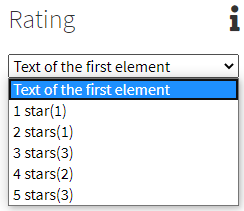
- First Element Text – allows you to type text which will be displayed in the Select style filter(only for Style – Select)
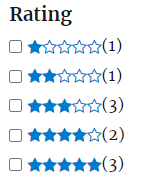
- Show products count per attribute value? – when the setting is enabled, the number of products with each filter value will be displayed
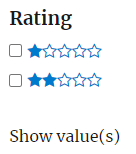
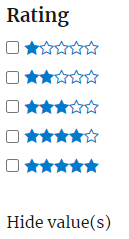
- Attribute Values count – the number of values of Rating, which will be displayed in the widget; other values of Rating can be seen by clicking on “Show value(s)”. Setting Hide the Show/Hide value(s) button in filters must be disabled
- Advanced
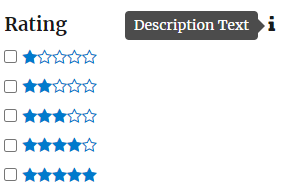
- Description – allows you to add a tooltip with description for the widget
- CSS class – allows you to set a CSS class for the widget
- Filter Box Height – allows you to set the size of the filter block
- Scroll Theme – styles for the filter scrollbar will be available after setting the size of the filter block
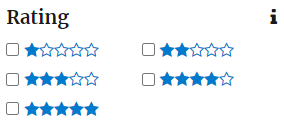
- Values per row – number of attribute values per row in the filter at output
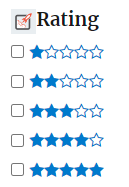
- Icon Before Title – allows you to upload a picture and select Font Awesome to be displayed before the Filter Name
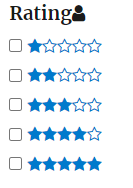
- Icon After Title – allows you to upload a picture or select Font Awesome to be displayed after the Filter Name
- Icon Before Value – allows you to upload a picture or select Font Awesome to be displayed before the filter value
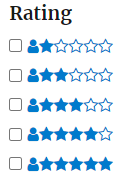
- Icon After Value – allows you to upload a picture or select Font Awesome to be displayed after the filter value
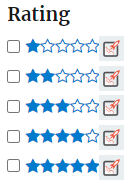
- Description – allows you to add a tooltip with description for the widget


