- “No Products” message – a message that will be displayed when there are no products after filtration
- Products per page – number of products per page
- Number of Attribute Values – the number of attributes that will be displayed in the widget, other attributes can be seen by clicking on the Show Value (s) button. The option Hide «Show/Hide value(s)» button must be disabled
- Sorting drop-down control – WooCommerce sorting drop-down control
- Jump to first page – after filtering it will switch to the first page
- Scroll to the top – after filtering, the page will be scrolled to the top with indentation in pixels specified in the field

- Values count and output
- All non-empty values are shown and use basic counting
- Remove empty values based on page(category/tag/etc)
- All non-empty values are shown and filters are considered while counting attribute values
- Remove empty values based on page(category/tag/etc). Filters are considered while counting attribute values and empty values based on filters are hidden
- Filters are considered while counting attribute values. Empty values are removed server side
- Hide values
- Hide values without products
- Hide selected values
- Hide blank widgets
- Hide the Show/Hide value(s) button in the filters
- Select2 – all Select will be displayed in Select2 style
- Thousands Separator

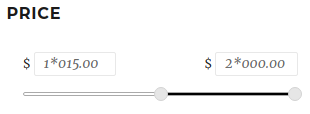
- Decimal Separator

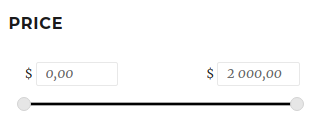
- Number of Decimal